

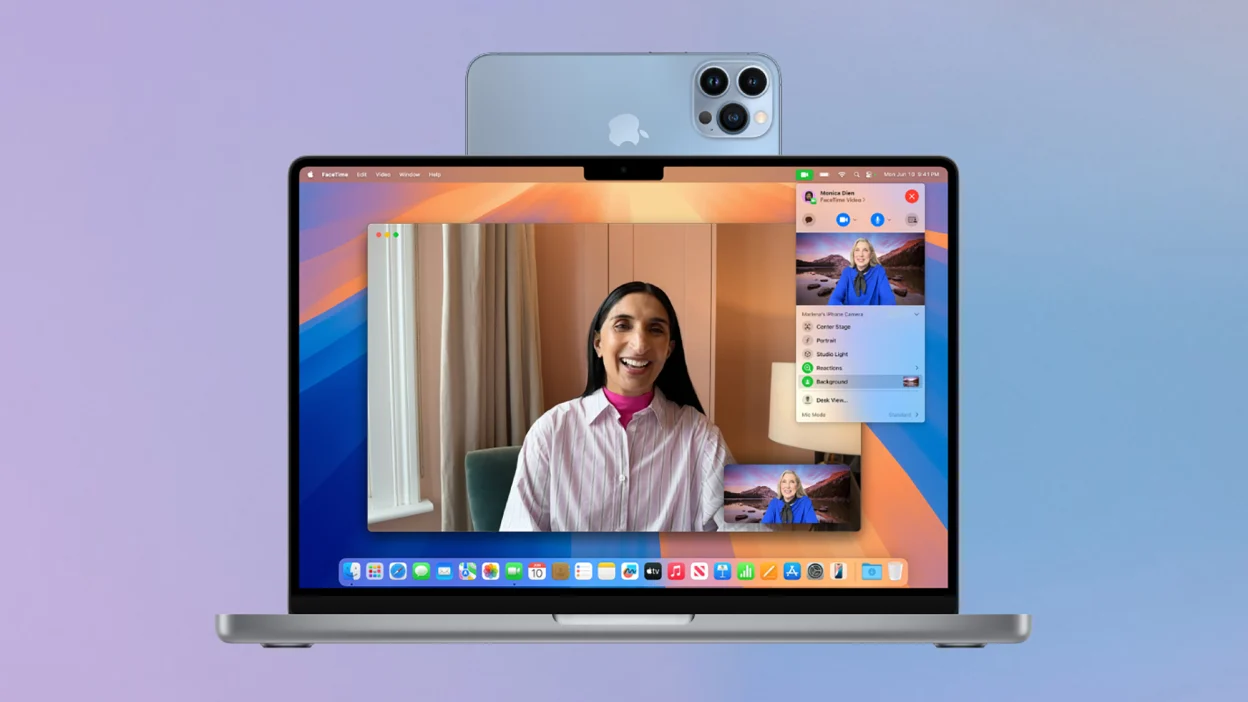
If you don’t have access to a high-quality webcam, your iPhone can easily step in to handle the job! Whether your laptop’s built-in webcam isn’t great or your monitor doesn’t have one, your iPhone offers a simple and sharp alternative — and setting it up is easier than you think.
📱 Using Your iPhone as a Webcam on macOS
Thanks to Apple’s Continuity Camera feature, you can turn your iPhone into a wireless webcam for any app on your Mac.
Here’s what you need:
- An iPhone (2018 or later) running iOS 16 or higher.
- A Mac with macOS 13 Ventura or later.
- Both devices signed in to the same Apple ID with WiFi and Bluetooth enabled.
Setup Steps:
- On your iPhone, go to:
Settings → General → AirPlay & Continuity → Continuity Camera and make sure it’s switched ON. - Open any app on your Mac that uses a webcam (like FaceTime or Zoom).
Your iPhone will appear as a camera source. - Hold the iPhone in landscape mode for the initial connection.
You can even adjust the angle mid-call, use Portrait Mode, enable Center Stage, and activate Desk View for top-down desk presentations. If you prefer, connect via USB for a more stable feed and battery charging.
READ MORE: iPhone Prices Remain Sky-High in Pakistan — April 2025 Rate List & Installment Plans
💻 Using Your iPhone as a Webcam on Windows
On Windows PCs, the process is just as effective but requires a third-party app. Two of the most popular and reliable options are:
1️⃣ DroidCam
- Install the DroidCam app on both Windows and your iPhone.
- Open the app on both devices and connect via WiFi or USB.
- Your iPhone will now appear as a webcam in apps like Skype, Zoom, or OBS.
You can use it free or unlock premium features like Full HD & watermark removal for $4.99/year or $14.99 lifetime.
2️⃣ Camo
- Download Camo on your iPhone and Windows PC.
- Connect via WiFi or USB.
- Camo allows advanced webcam settings like exposure, white balance, and smart zoom.
Camo’s free version is powerful, but the Pro version ($4.99/month) unlocks 4K video, variable frame rates, and pro-level effects.
💡 Conclusion:
Whether you’re using macOS or Windows, your iPhone can double as an excellent webcam, offering crisp video quality, flexible setup, and professional features without spending extra on new hardware.